Point of sale, stock and accounts — one system
Run your shop from one screen, in Arabic.
A cashier that keeps up with the queue, stock you can trust down to the size and colour, and accounts that post themselves. Built for how shops actually work.
No card needed. Nothing is charged today.
Made for
Clothing and shoe shops
Every product in its sizes and colours, with a price, barcode and stock for each.
Groceries and mini-markets
Scale barcodes that carry the weight or price, and fast search at the till.
Shops with more than one branch
Stock per branch, transfers between them, and reports for each or all.
Wholesalers and distributors
Wholesale price lists, trade orders with part deliveries, and van sales.
The system, screen by screen
These are real screens from the system, taken from a demo shop.
A cashier that keeps up
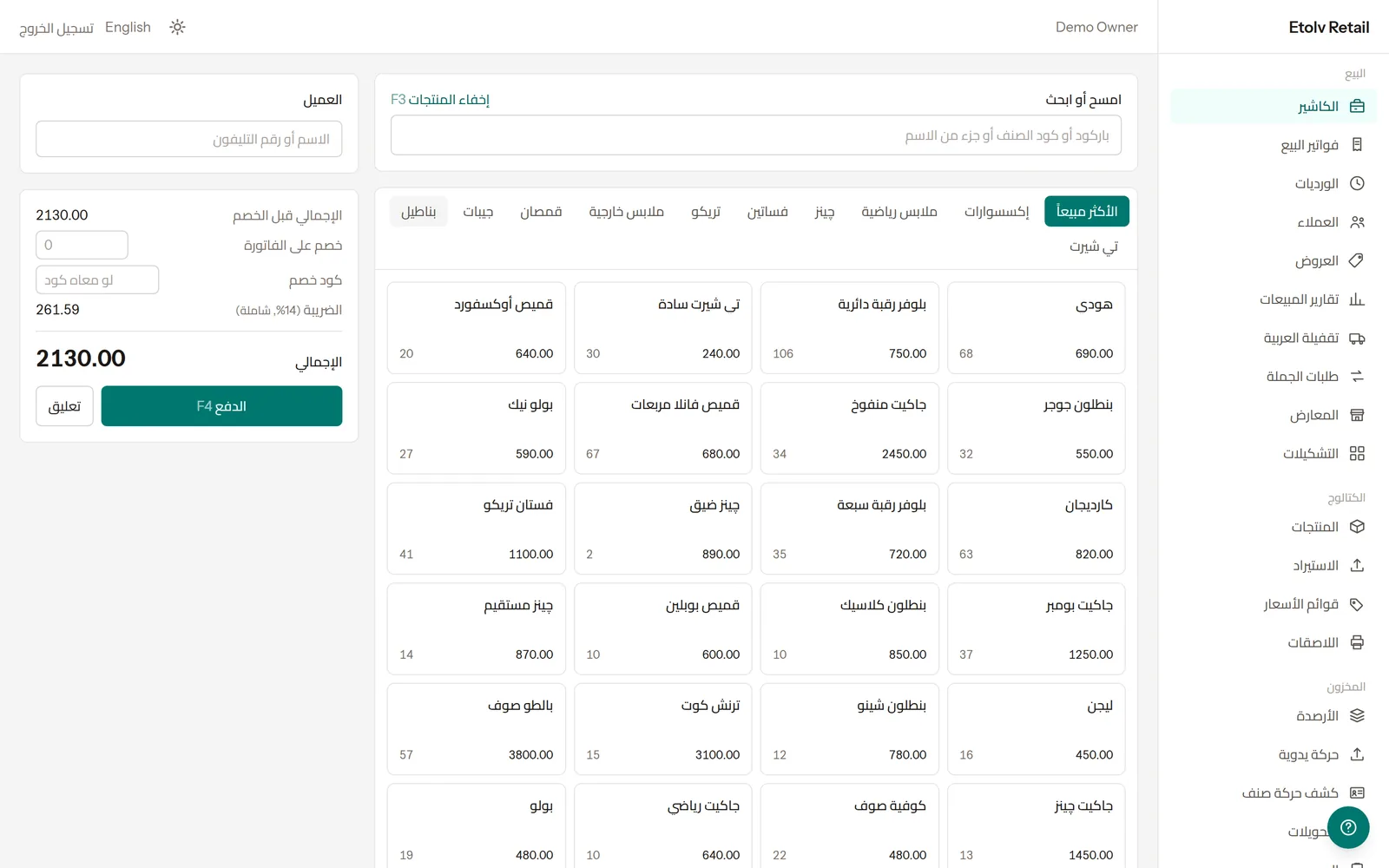
Scan a barcode or search by name or code, pick from the product grid, and take the payment. Everything the cashier needs is on one screen.
- Barcode, code or name search
- Discount on the invoice or a promo code
- Hold a sale and come back to it
- Shifts with an opening float and a cash count
Sizes and colours, done properly
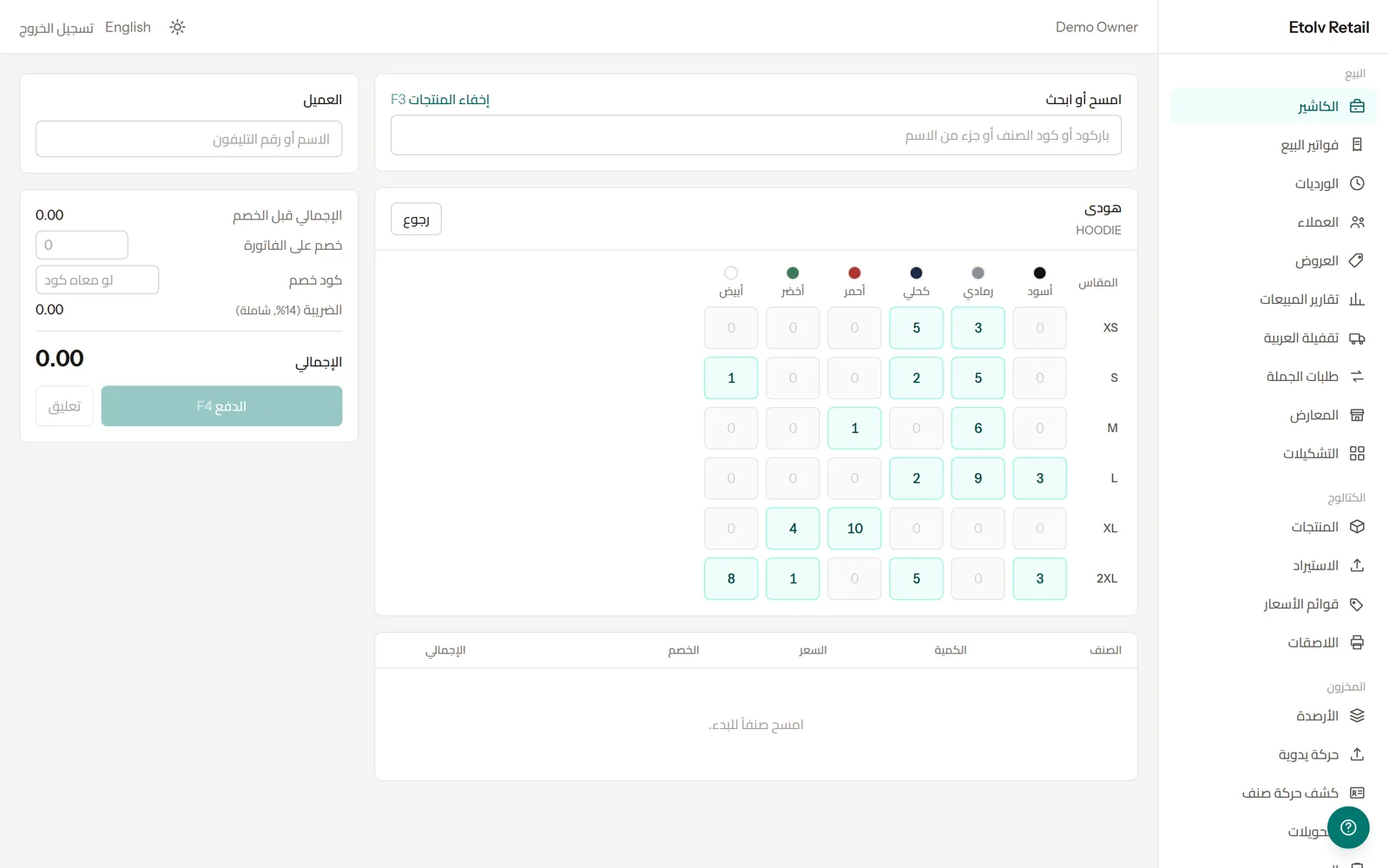
A shirt in six sizes and six colours is one product with thirty-six variants — each with its own barcode, price and stock. At the till, the cashier picks straight from the grid.
- Size and colour grid with stock in each cell
- Separate barcode and price per variant
- Import from Excel, one row per variant
Stock you can trust
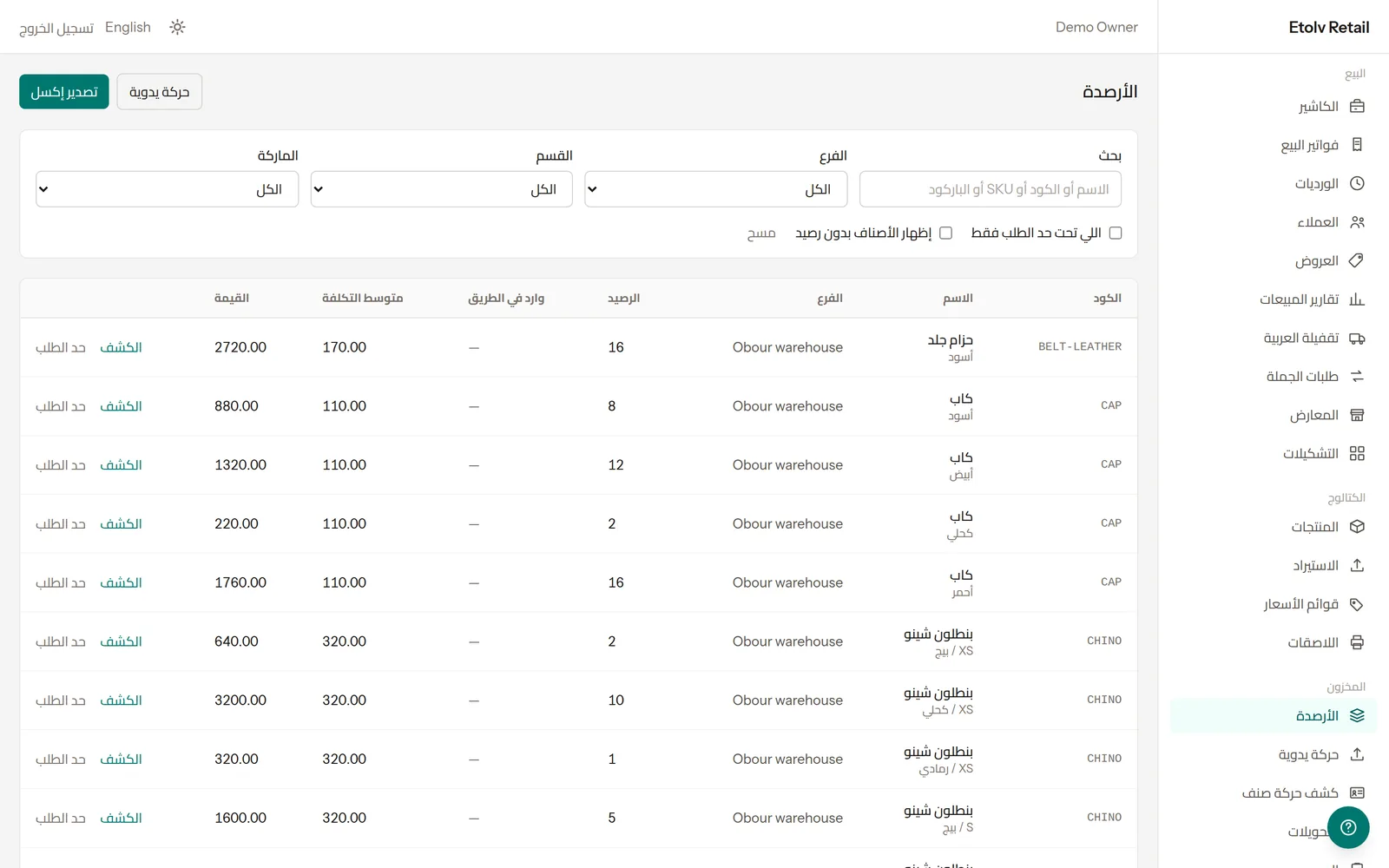
Every sale, purchase, transfer and adjustment is a movement in a ledger, so the balance on screen always has a history behind it.
- Balance and cost per branch
- Reorder levels and what is on the way
- Item card with every movement
- Stocktakes and stock valuation
Know how the day went
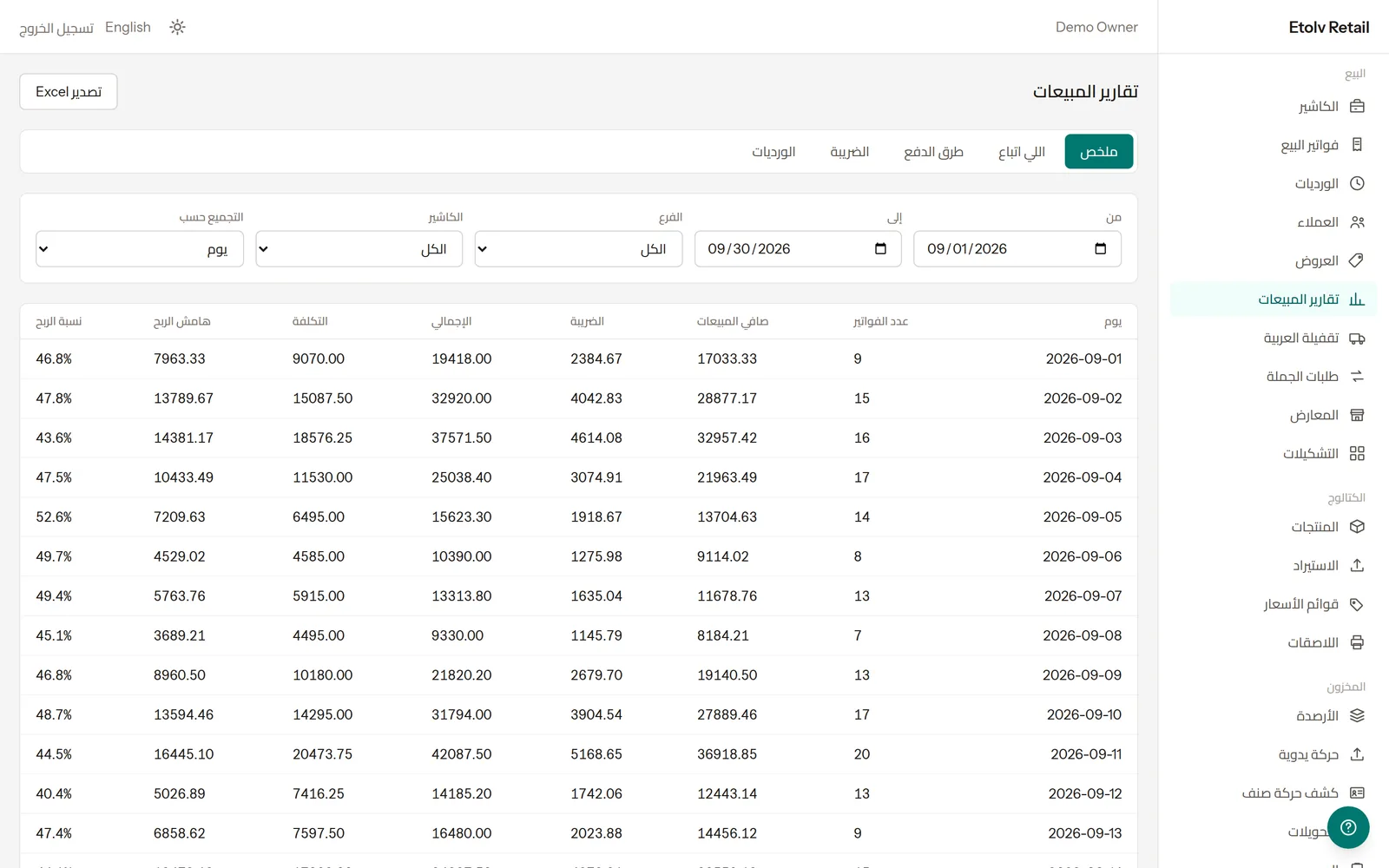
Sales by day, branch or cashier, what sold, how customers paid, the tax collected and the margin — for any period you choose.
- Net sales, cost and margin
- Payment methods and shifts
- Export to Excel
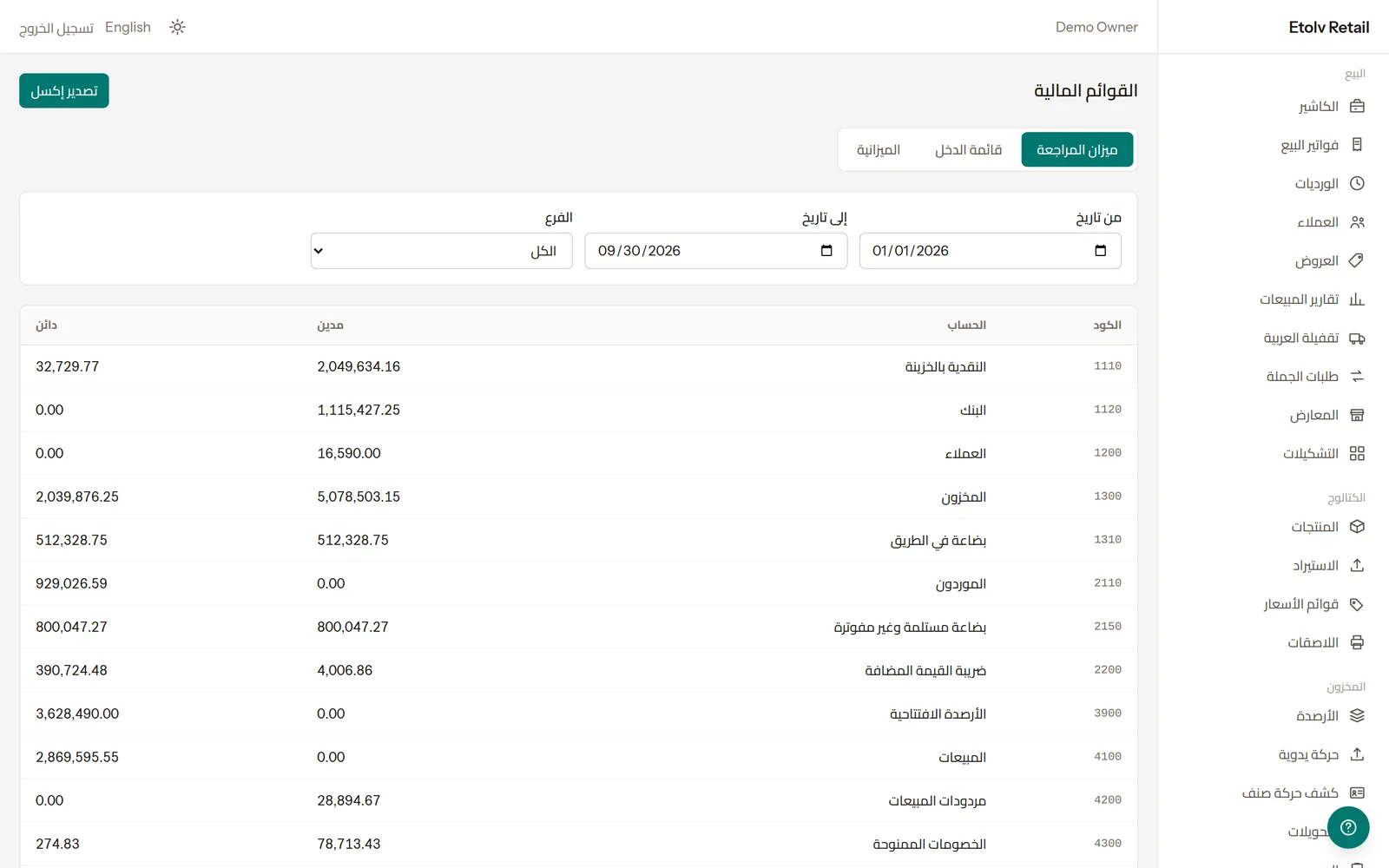
Accounts that post themselves
Every sale, purchase and payment writes its own double-entry journal. The trial balance, income statement and balance sheet are always up to date.
- Automatic journals behind every document
- Trial balance, income statement, balance sheet
- Chart of accounts ready from day one
And everything around it
The same system covers the rest of the shop, so there is nothing to keep in sync.
Selling without internet
On plans that include it, the cashier app keeps selling when the line drops and syncs when it is back.
Offers and coupons
Percentage or fixed discounts, promo codes, dates and minimum spend.
Price lists
Retail and wholesale prices side by side, chosen per customer.
Purchasing
Purchase orders, goods receipts, supplier invoices, landed cost and supplier statements.
Branches and transfers
Each branch with its own stock, and transfers between them.
Stocktakes
Count the shelves and let the system post the differences.
Van sales
Load a van, sell on the road and settle it at the end of the day.
An online shop
A public storefront on the same catalogue and the same stock.
Trade orders
Wholesale orders with deposits and part deliveries.
Barcode labels
Print shelf and product labels with barcodes.
Excel in and out
Import products from a spreadsheet and export reports to Excel.
Users and permissions
A sign-in for each person, with only the screens their role allows.
Getting started
-
1
Create your shop
Choose a plan and fill in your details. The trial is free for 14 days.
-
2
Add your products and stock
Type them in or import them from Excel, then record your opening stock.
-
3
Start selling
Open a shift and sell. Reports and accounts fill themselves in as you go.
Common questions
Is there a free trial? +
Yes. Every new shop gets 14 days free, with the whole system.
Do I need a card to start? +
No. Nothing is charged when you sign up. You decide whether to stay when the trial ends.
Is my data separate from other shops? +
Yes. Every shop has its own database, not a shared one.
What happens if the internet goes down? +
On plans that include the offline cashier, selling carries on without internet and syncs when the connection is back.
Can I bring my product list with me? +
Yes. Products can be imported from an Excel or CSV file, one row per size and colour.
Is it in Arabic? +
Yes. The system is Arabic first, and each person can switch to English.
How do I pay the subscription? +
You add credit to your shop's balance from the subscription page, and invoices are settled from it automatically.
Does it work for more than one branch? +
Yes. Each branch has its own stock and cashiers, with transfers and reports across them. How many branches depends on the plan.
Open your shop in a few minutes
Pick a plan, fill in your details, and your shop is ready. No card needed to start.
Start a 14-day free trial